Guide
Nature Sound Mixer
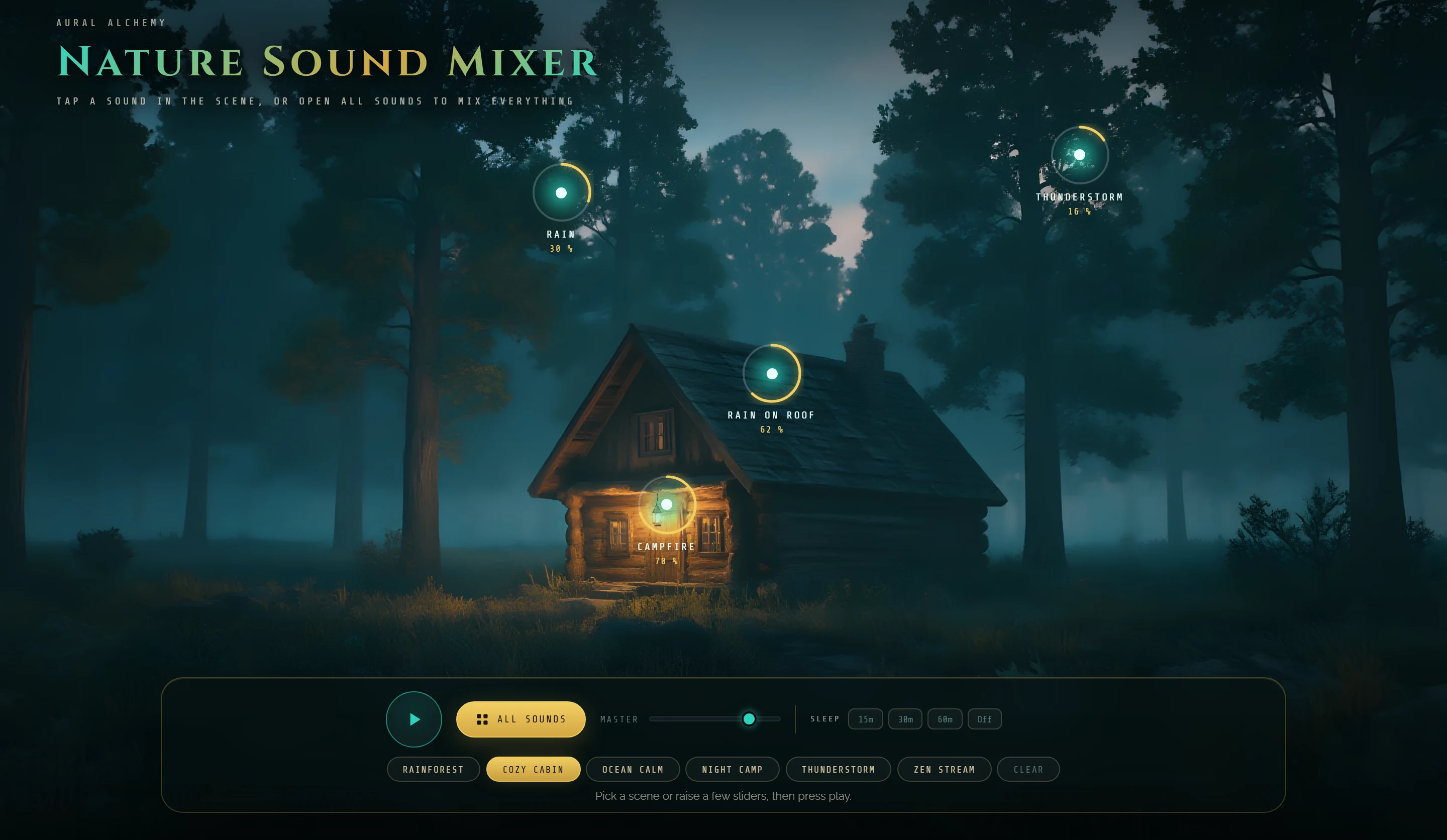
Nine nature sounds placed right in the landscape. Pick a scene for a ready mix, tap a sound to raise it, and set a sleep timer.
Start here
Your first 30 seconds
- Sign inThe first time you touch a control, a card asks you to sign in: Continue with Google, or your email and an 8 digit code. It is free.
- Pick a sceneTap a scene under the bar, like RAINFOREST or COZY CABIN. It sets the levels, changes the landscape and starts playing.
- Tap a soundTap a sound in the landscape to raise it, switch its variant or mute it. The play button in the bar pauses everything.
On this page
The bar
The glass bar at the bottom holds the whole mixer in one line.

- PlayPlays and pauses the mix.
- All soundsOpens the mixer with all nine sounds.
- MasterThe volume of the whole mix.
- SleepA timer of 15, 30 or 60 minutes, or Off.
- ScenesSix ready mixes, each with its own landscape.
- ClearTurns every sound down to zero.
Scenes
A scene sets the levels of a few sounds and moves you to its landscape. From there, change anything you like.
- RainforestRain, forest birds, stream and wind.
- Cozy cabinRain on roof, rain, campfire and thunderstorm.
- Ocean calmOcean waves, wind and forest birds.
- Night campCampfire, night, wind and stream.
- ThunderstormRain, thunderstorm, rain on roof and wind.
- Zen streamStream, forest birds and wind.
TipMove any slider and the scene is no longer highlighted: the mix is yours now.
Sounds in the landscape
Each sound shows as a point in the landscape, with a ring and its level, or off. Sounds that have no place in the current landscape appear as small chips at the top right.
While the mix plays, the landscape moves with it: rain, firelight, fireflies at night, sparkles on the water.
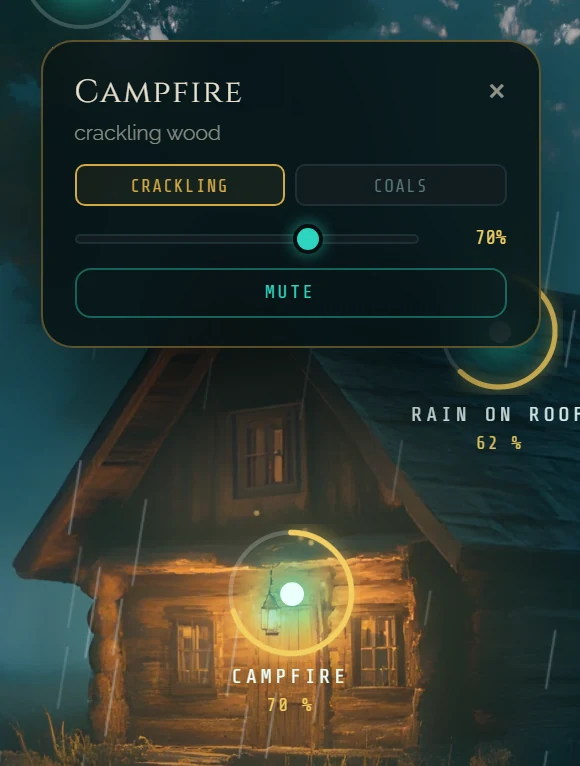
- Tap a pointOpens a small panel with the name of the sound, its two variants, a level slider and MUTE. A point that is off turns on at 50% and starts playing.
- VariantsEach sound has two, for example CRACKLING or COALS for the campfire. They switch while the sound plays.
- MuteSilences that sound. UNMUTE brings it back.
- CloseThe ✕ in the panel, or Esc.
All sounds
ALL SOUNDS opens the full mixer: one card per sound with its icon, its two variants and a level slider. Tap the icon to mute or unmute.
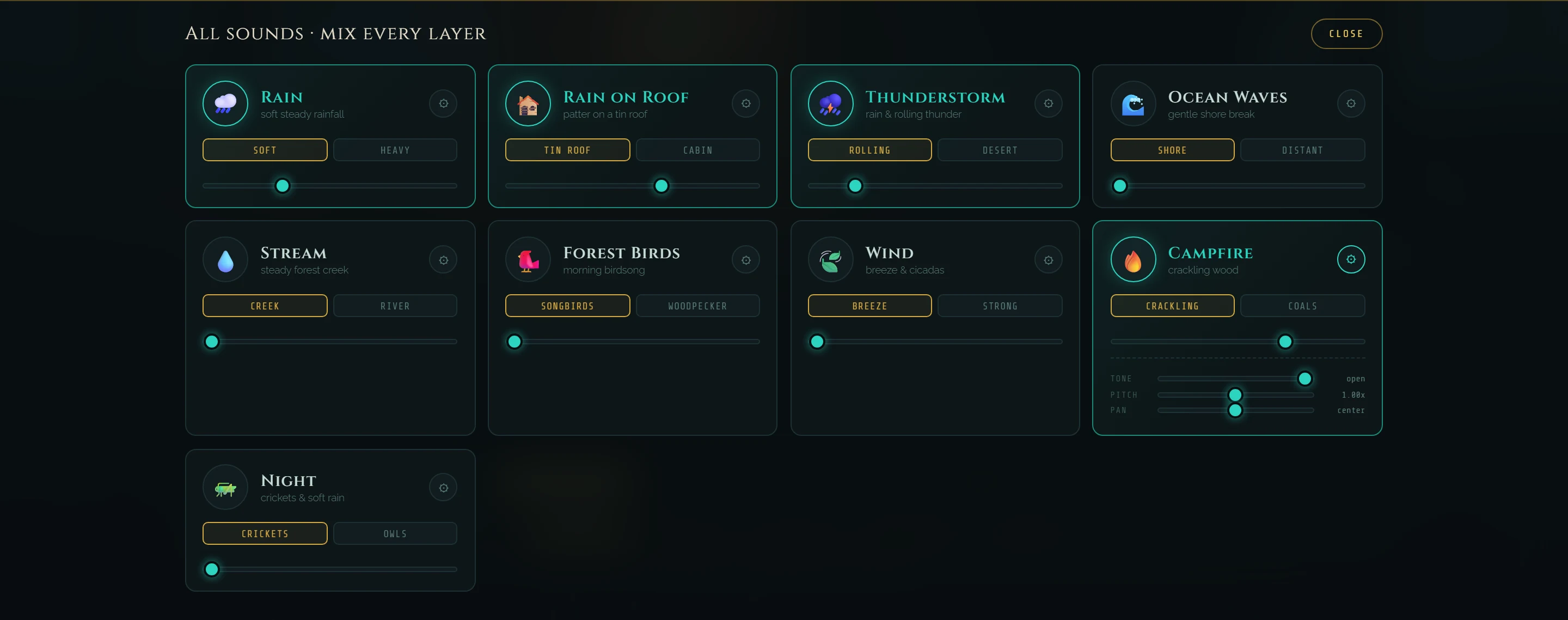
- RainSoft or Heavy
- Rain on roofTin Roof or Cabin
- ThunderstormRolling or Desert
- Ocean wavesShore or Distant
- StreamCreek or River
- Forest birdsSongbirds or Woodpecker
- WindBreeze or Strong
- CampfireCrackling or Coals
- NightCrickets or Owls
Shape a sound
The ⚙ button on each card opens three more sliders for that sound.
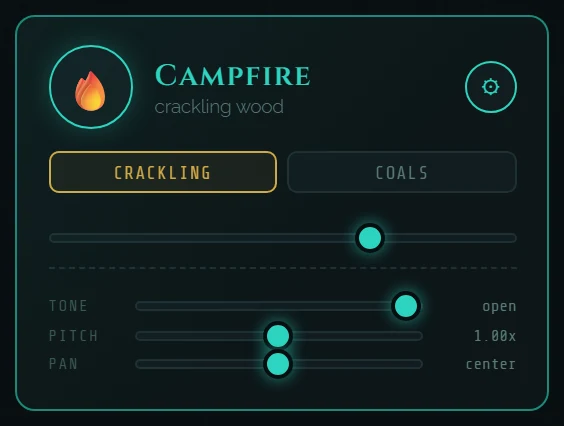
- ToneCuts the high end, from open down to 300 Hz, for a softer sound.
- PitchPlays the sound slower or faster, from 0.50x to 1.50x.
- PanMoves it to the left or to the right.
Sleep timer
SLEEP in the bar fades the mix out for you.

- 15m · 30m · 60mStarts the timer, and starts playing if the mix was stopped. The countdown shows next to the buttons.
- At the endThe mix fades out and pauses.
- OffCancels the timer.
Download your mix
Under the scene, Download Your Mix renders exactly what you hear (your sounds, variants, tone, pitch and pan) as an MP3, right in your browser, with a fade in and a fade out.
- Length10 MIN, 30 MIN or 1 HOUR. The price shows under each length.
- ⬇ Render & downloadTakes you to checkout. When you come back, the page confirms the payment: set your mix and press it again to render.
- The fileAn MP3 at 192 kbps, for example aural-alchemy-nature-mix-10min.mp3.
- Serenity ownersSee INCLUDED instead of a price and render any length at no extra cost.
TipRaise at least one sound before you render: the file captures what you hear. Each purchase gives one render, in that visit, so render before you reload or leave the page.
On a phone
On a phone held upright, each landscape has its own tall version and the points sit where the sounds are.
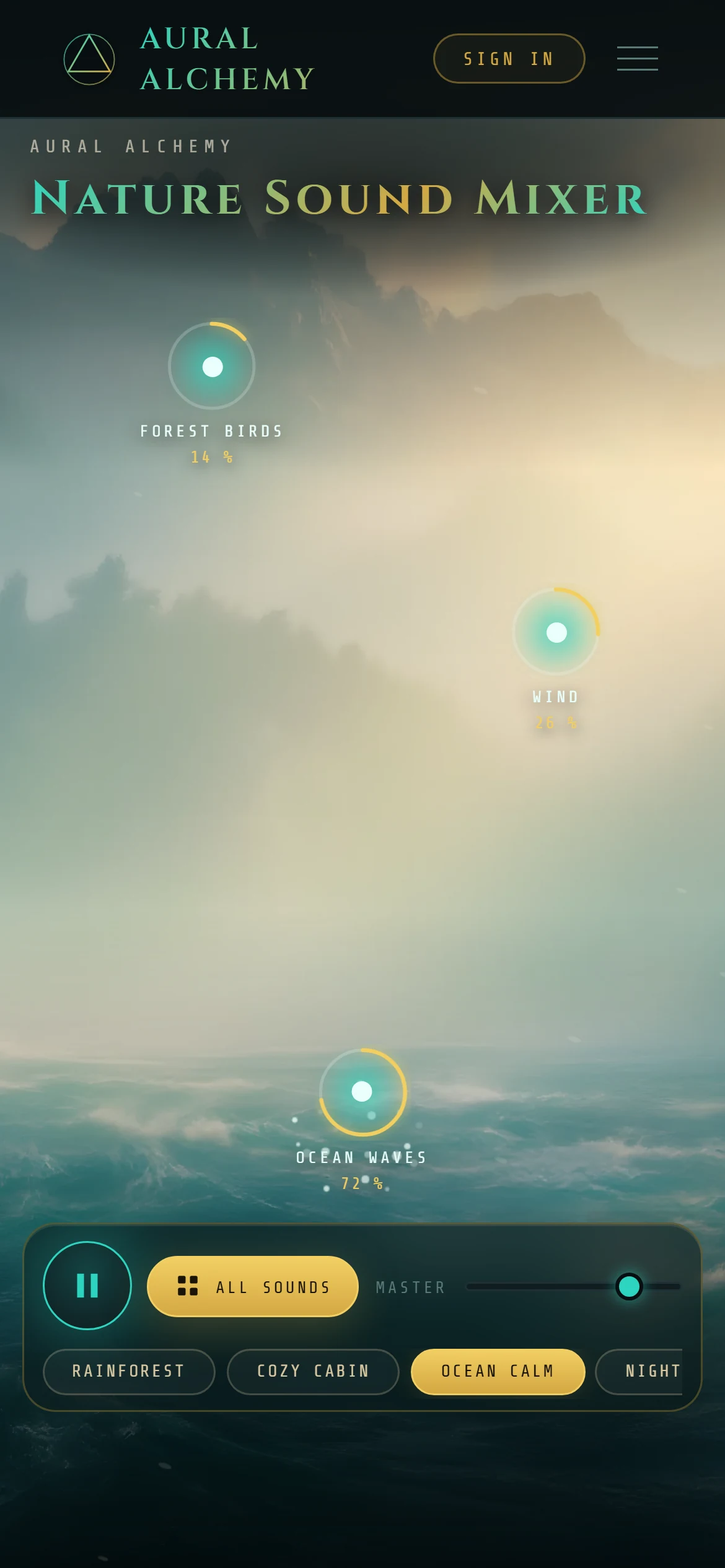
- SleepThe sleep timer moves inside ALL SOUNDS.
- ScenesScroll sideways to see all six.
- Sound panelOpens as a full width sheet near the bottom.
Questions
Is the Nature Sound Mixer free?
Yes. Sign in with a free account and mix as long as you like. Only downloads are paid.
What is paid?
Downloading your mix as an MP3, in 10 minute, 30 minute or 1 hour lengths. The price shows under each length before you pay. Serenity Suite owners download any length at no extra cost.
Do I need headphones?
No, speakers work fine. Headphones bring out the stereo, for example when you pan a sound to one side.
Do I need to install anything?
No. It runs in your browser on a computer, tablet or phone. You only sign in, with Google or with your email and a code. Chrome or Edge work best.
I press play and hear nothing.
Every sound starts at zero. Pick a scene, or tap a sound in the landscape to raise it. Then check MASTER and the volume of your device.
Where do the sounds come from?
Every sound in the mixer comes from the Aural Alchemy HD nature library. Under the download, the page links the full packs, with the complete recordings, in the shop.
Can I use a downloaded mix in my videos or music?
The license page covers the sounds we sell in the shop. For a mix rendered here, write to admin@alchemyaural.com before you publish it.
Does it work on my phone?
Yes. Each landscape has a tall version for phones, the scenes scroll sideways and the sleep timer sits inside ALL SOUNDS.
How do I get help?
The help page covers signing in, your library and downloads. You can also ask the assistant in the corner of this page, or write to admin@alchemyaural.com.